Features  PDF Samples
Minimum System Requirements for Sirius
| System |
PC running Windows
8, 10, 11. Includes
|
| Available Hard-Drive space |
2 Gb free. |
Sirius Features & Tools
Software for Windows by Cosmic Patterns Software

We have carefully crafted every part of the user interface to enable you to get the information you want in a smooth and intuitive manner. Many programs allow you to do the basics of pulling up a chart with ease. But suppose you want to do something creative like look at the midpoint structures formed between a solar return and a natal chart or a harmonic chart of a composite chart. Even if your approach to astrology is simple or you are a beginner, when the day comes when you want to explore a new idea or step outside the basics, you will be glad that you have Sirius. It all starts with the color-coded icons at the top of the main window.
Blue Icons
Make a New Chart. A progression, solar return, composite chart, relocated chart, and harmonic chart, for example, give you a new set of planetary positions. Make new charts with the blue icons.
 |
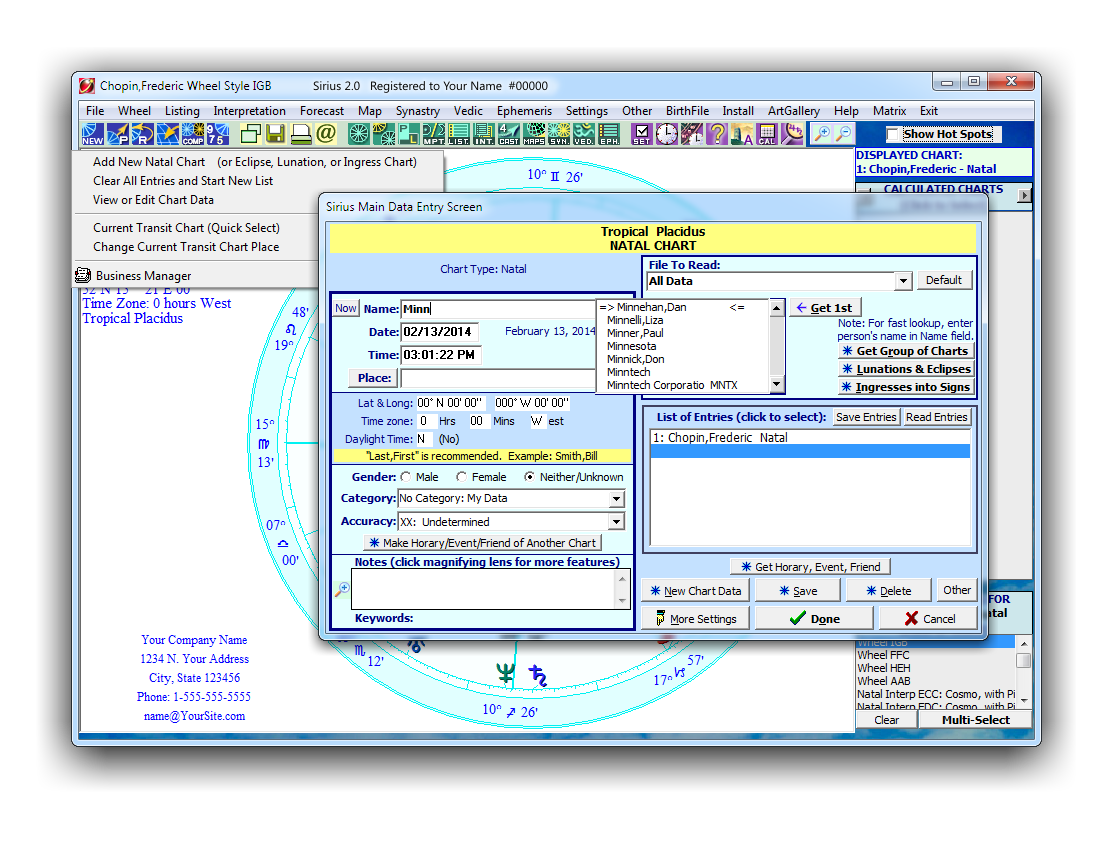
New Natal Chart
Add a New Chart is easy, just type the name, date, city, gender, and add it to a personal category. Next time you need this chart, you just start typing the name (or last name) and our database will pop up a list of names with your chart included.
|
|
 |
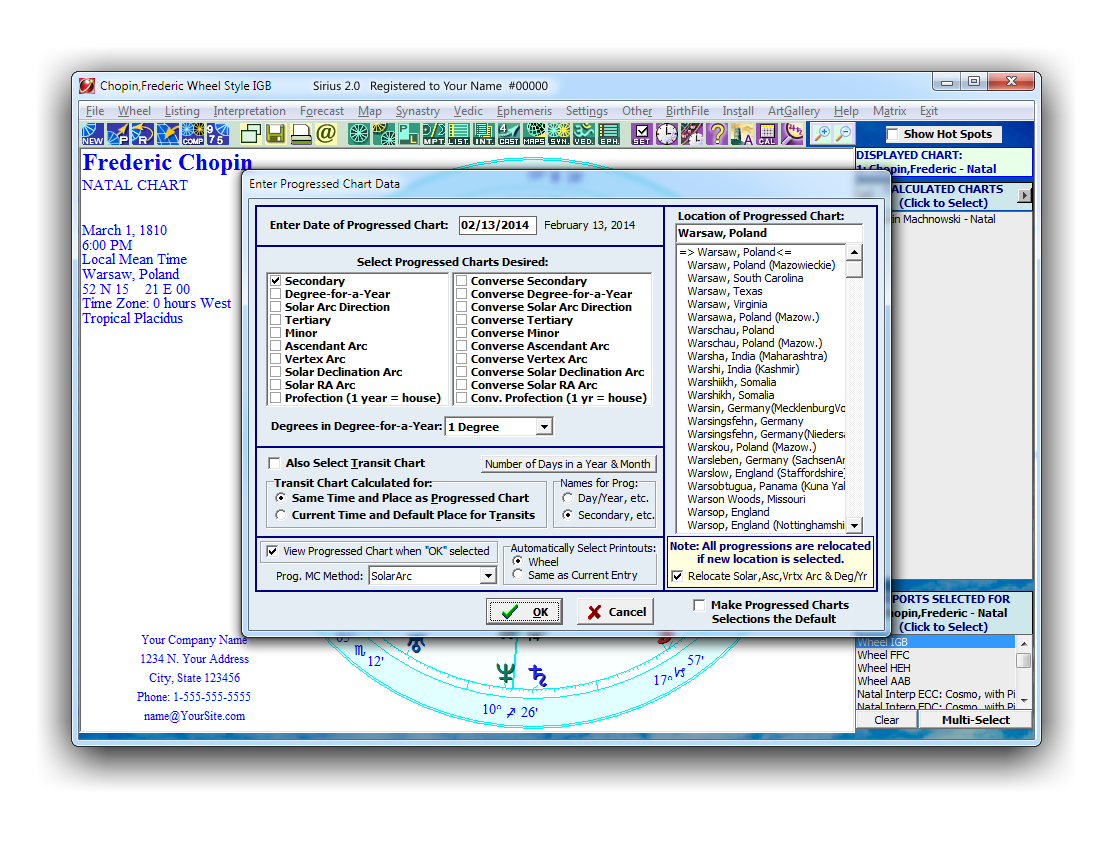
Progression Chart
Click on this icon to create a progressed chart. When you click on this icon, the Enter Progressed Chart Data Window is displayed.
|
|
 |
Return Chart
This option is used to create different kinds of return charts. Click on this icon or click
on "File" then select "Return Chart" to create the following charts:
- Solar Return
- Lunar Return
- Planet Return, Demi-Return, Angle or Harmonic Return
- Phase Angle Return (Sun-Moon Angle Returns Vedic Tithi Monthly, etc.)
- Phase Angle Return in Zodiac Sign (Vedic Tithi Yearly Return, etc.)
- PreNatal Lunation (New Moon of Full Moon before birth)
- PreNatal New Moon (New Moon before birth)
- PreNatal Full Moon (Full Moon before birth)
- Diurnal Chart: Sun-MC Phase Angle Return
- Diurnal Chart: Sun-MC Phase Angle Return in Right Asc.
- Diurnal Chart: Sun-Asc Phase Angle Return
|

|
 |
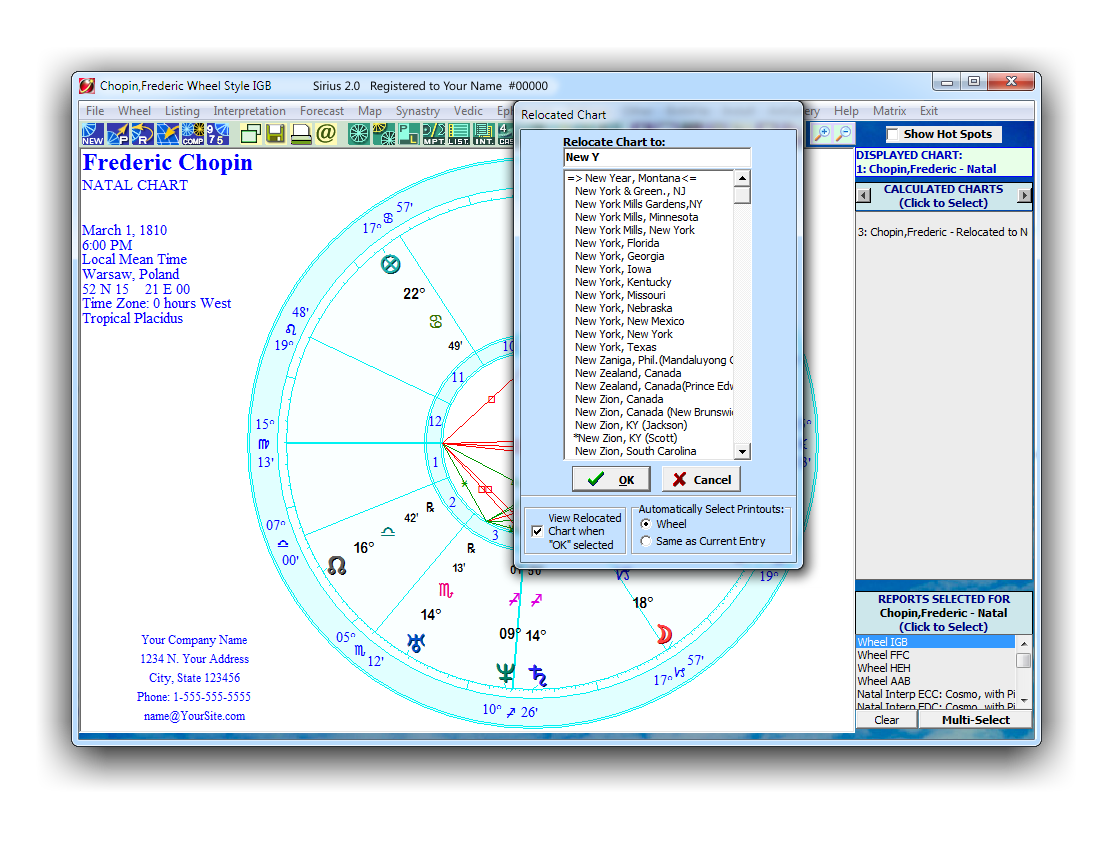
Relocated Chart
While the natal chart that you wish to be relocated is displayed, click on tjhis icon or click on "File" and then select "Relocated Chart". Select the place where you want to relocate.
|
|
 |
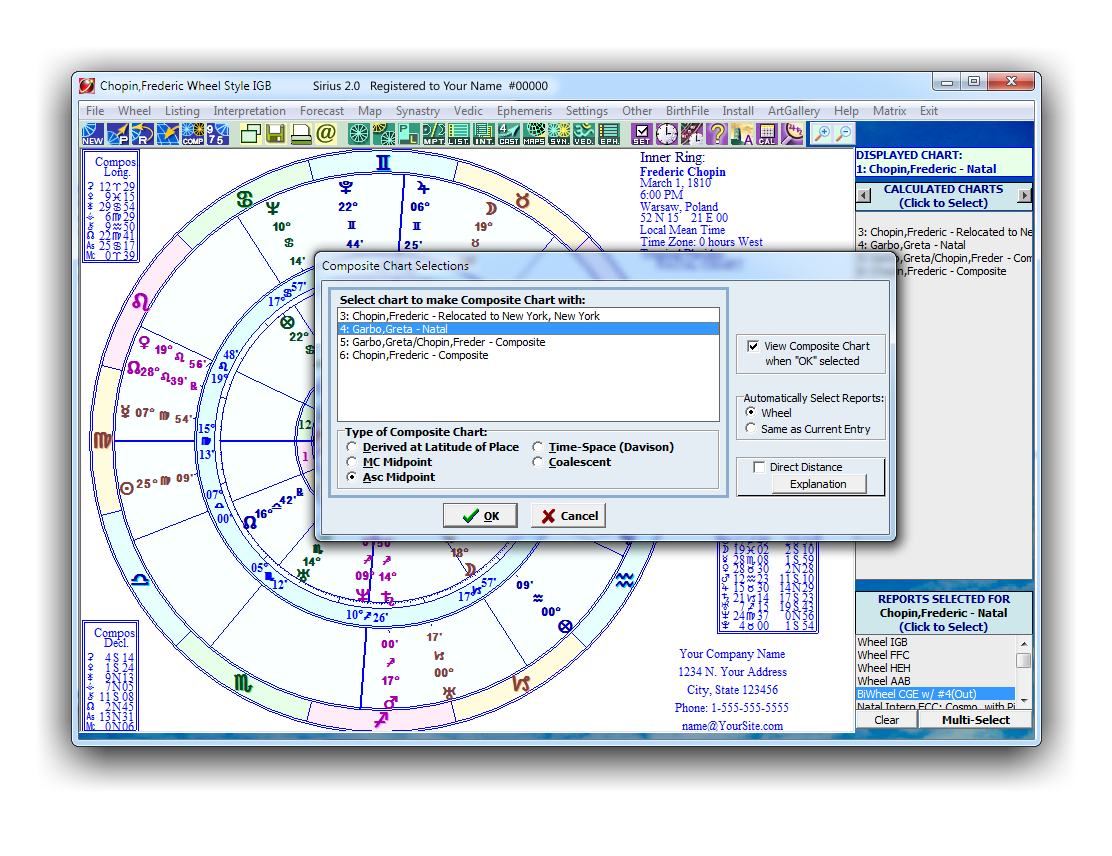
Composite Chart
Click on this icon to create a composite chart. Make sure that you have at least 2 entries before clicking on it. Otherwise, a message window is displayed prompting you to enter additional charts.
|
|
 |
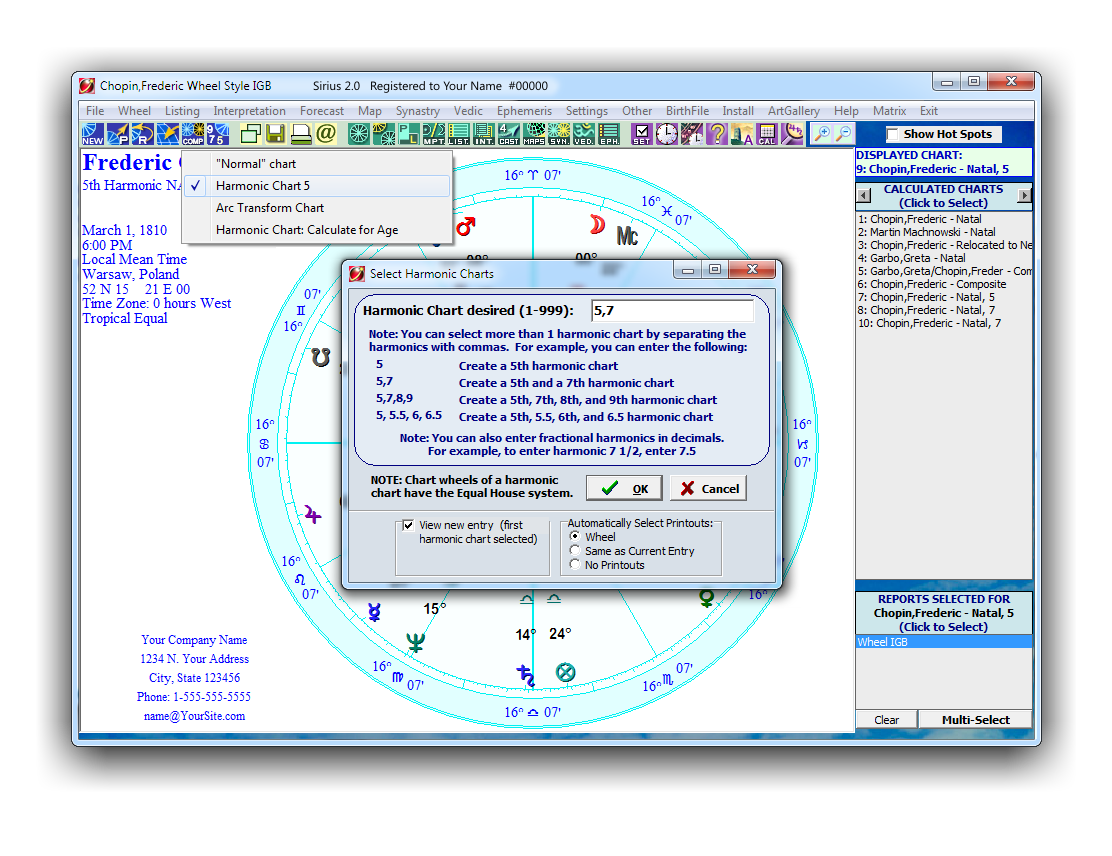
Harmonic Chart
Click on the icon then select "Harmonic Chart" or click on "Settings" then select "Harmonic", and then select the "Harmonic Chart". The "Select Harmonic Chart" window is displayed
|
|
[ TOP ]
Green Icons
Select chart wheels, interpretations, listings. Here you select whatever information you want about this chart, whether it is a wheel, interpretation, table, listing, etc.
 |
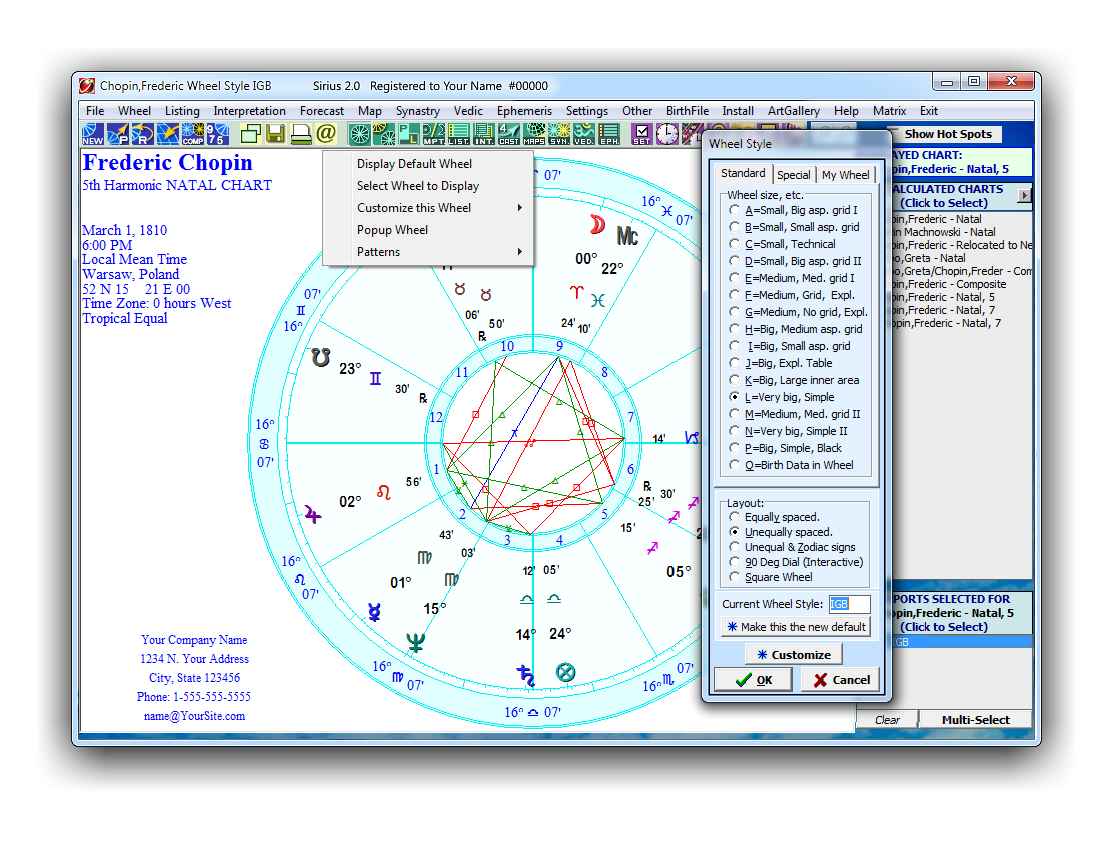
Wheel
When you select this menu you are prompted to select different chart wheel styles: Default, Customize, PopUp a Wheel, etc.
|
|
 |
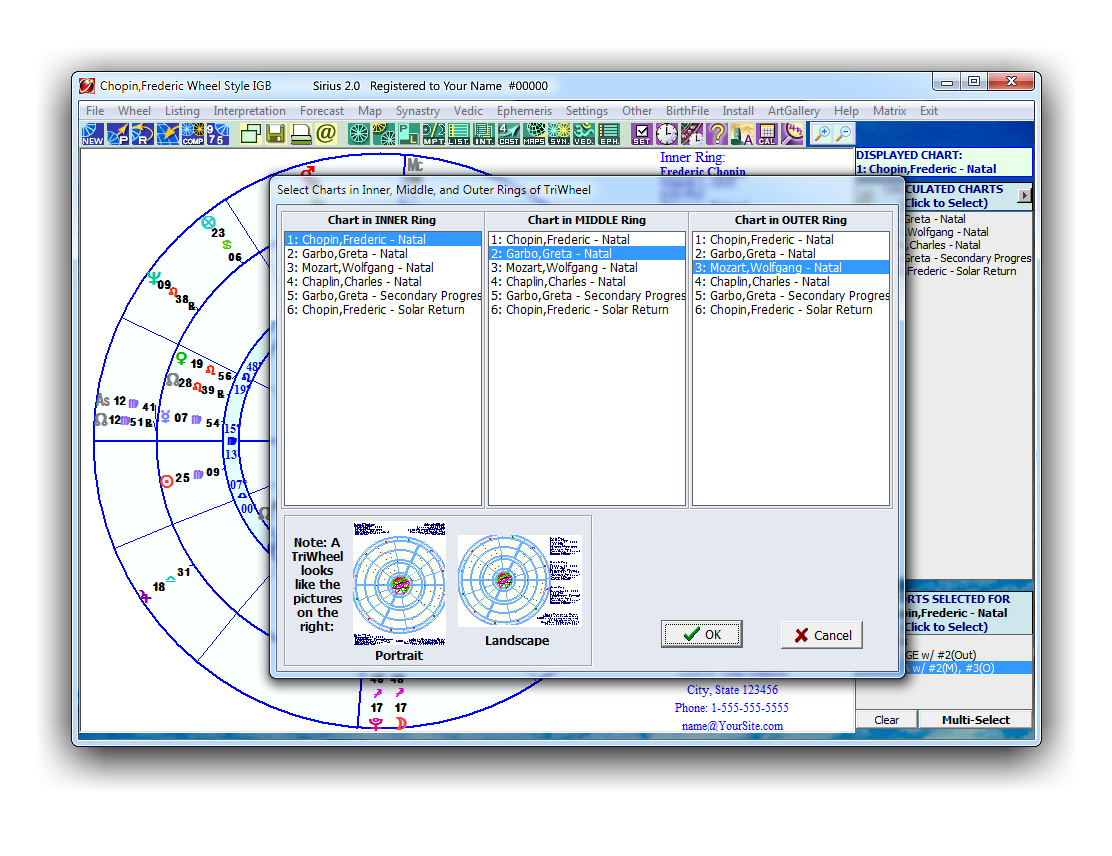
Multi Wheel
The following options are displayed when you click on this icon;
- BiWheel
- TriWheel
- QuadWheel
- Two-Wheels
- Three Wheels
- Four-Wheels
- Compatibility Patterns
- BiWheel Animation & Adjust: Natal-Transit
- BiWheel & 2-Wheel Animation & Adjust: Natal-Progressed
- TriWheel & 3-Wheel Anim/Adjus (Natal-Prog-Tran)
- QuadWheel & 4-Wheel Anim/Adj (Natal-Prog/SolRet-Tran)
|
|
 |
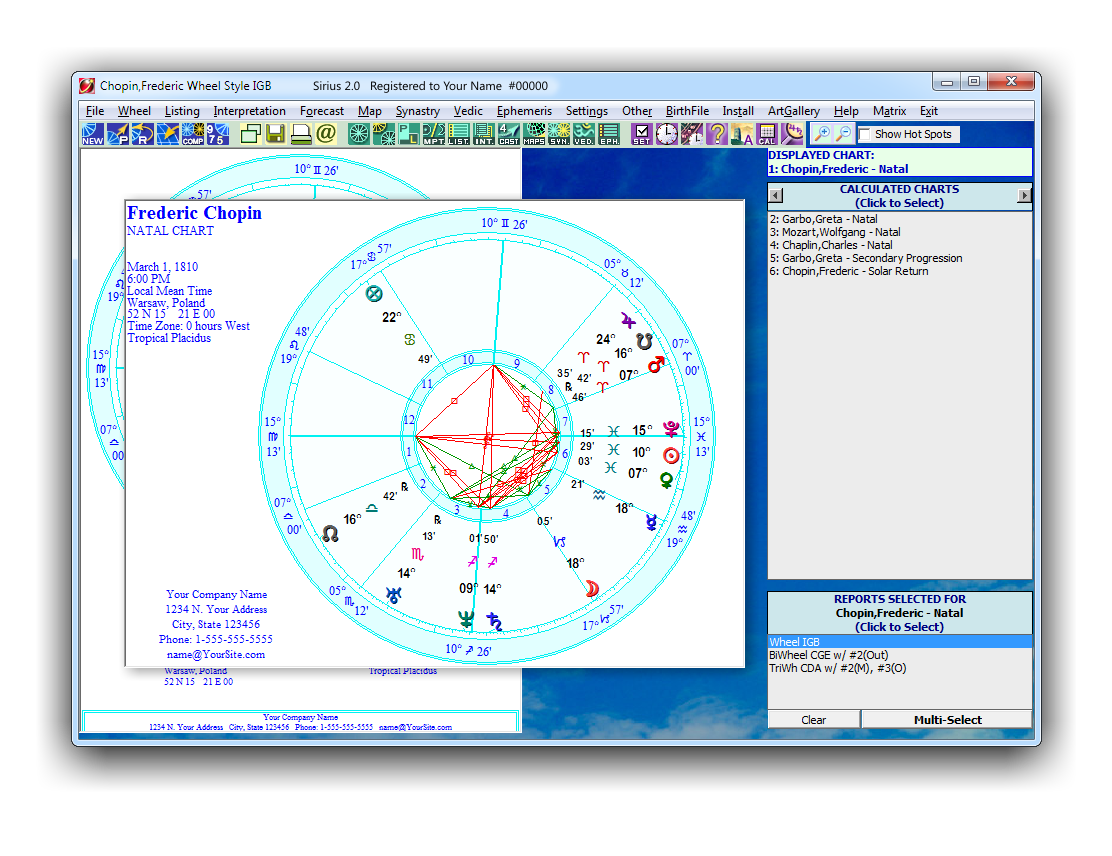
Portrait Landscape
While viewing a chart wheel on the screen, simply click on this icon to change to orientation of the wheel displayed on the screen. The default wheel orientation of the chart wheel when displayed on the screen is "Landscape". To change the orientation to "Portrait", click on this icon. The wheel orientation is then automatically updated. Click on it again want to change it back to landscape.
|
|
 |
Midpoints Trees and Listings
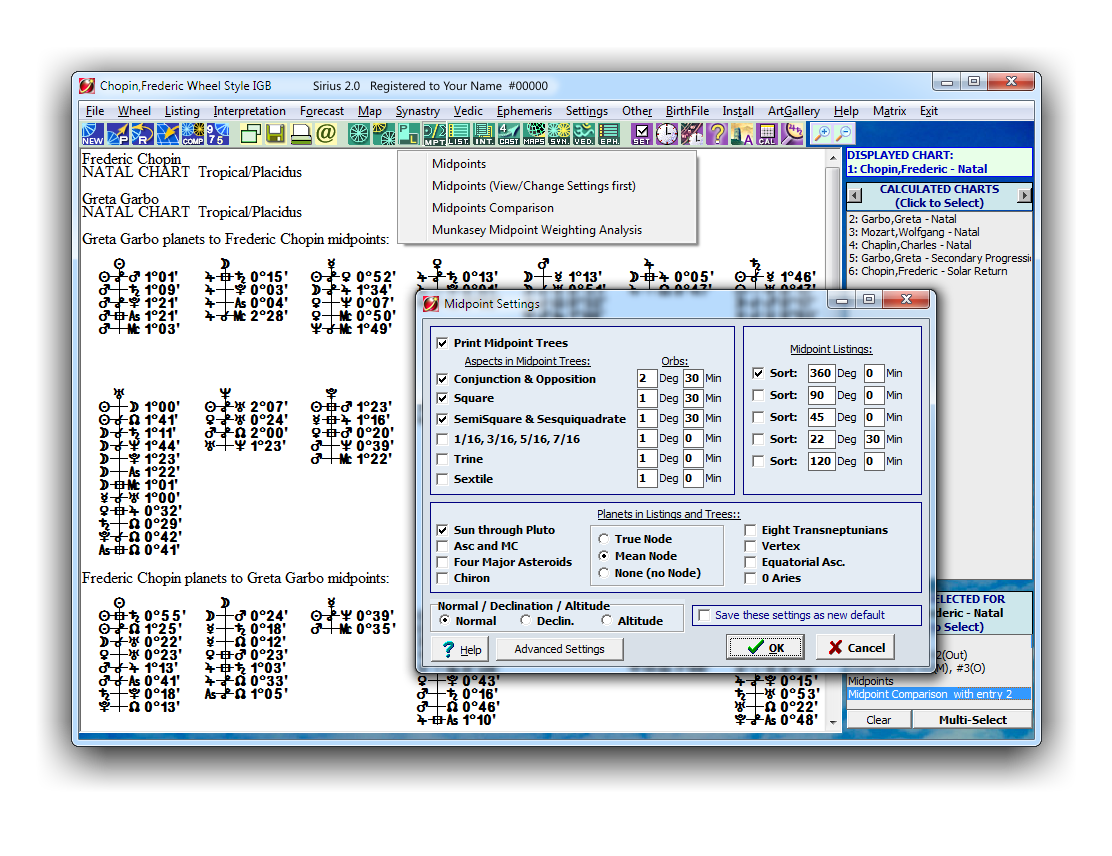
This option produces Midpoint Tree Diagrams and a Listing of the midpoints for the chart on the screen. You can change the Midpoints settings, do Midpoint Comparartions, Munkasey Midpoint Weighting Analysis, etc
|
|
 |
Listings
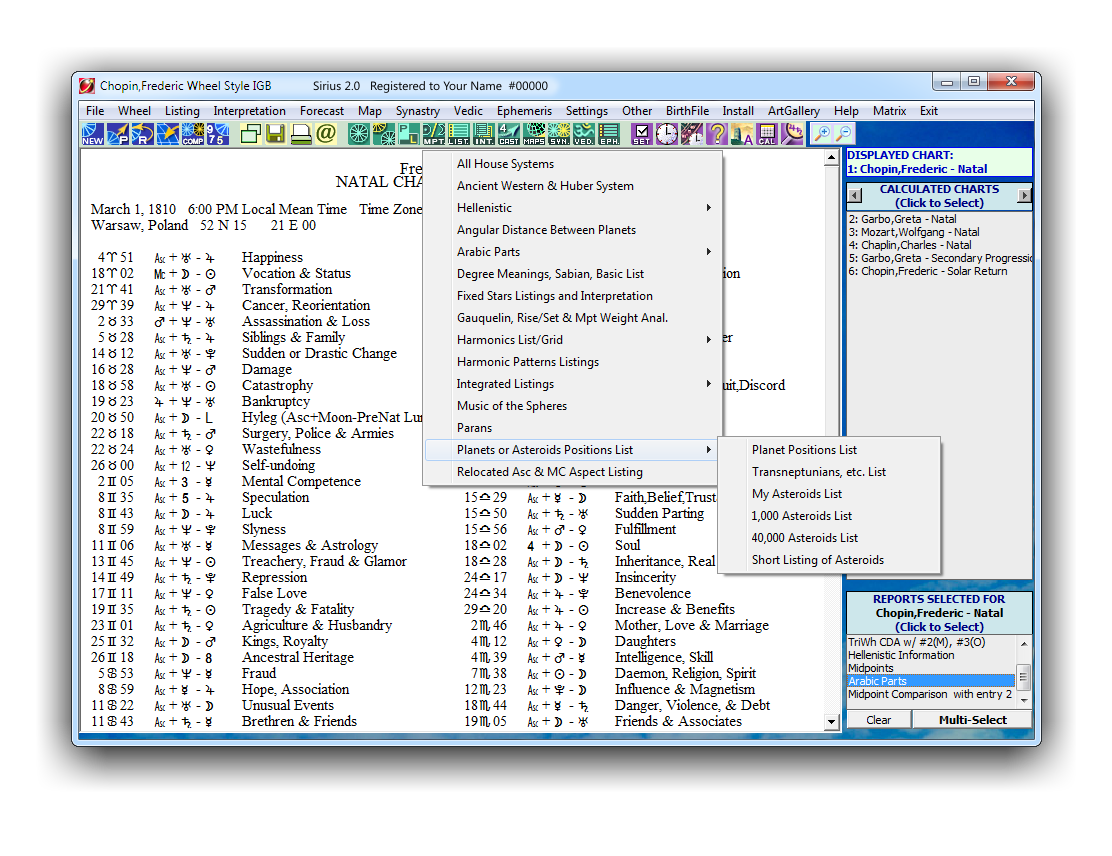
You can also produce several natal listing from Sirius such as Primary Arcs, Basic Listings, Degree Meanings, Sabian Symbols, fixed stars, Asteroids, harmonic patterns, paran listing, etc. Listings of all house systems, ancient western and huber system, hellenistic, angular distance between planets, Arabic Parts, degree meaings, fixed stars, Gauquelin sector, integrated listing, parans, planets of asteroid position list, and relocated asc and MC aspects.
|
|
 |
Interpretations
The Sirius program offers an extensive collection of concise yet highly accurate interpretive reports, thoughtfully designed to deliver clear and meaningful insights. These include Natal, Compatibility, Forecast, Relocation, Vedic, and more, making it a flexible and powerful resource for both personal discovery and professional practice.
For Interpretation samples tap on the PDF Interpretations list at the top.
|

|
 |
Forecast
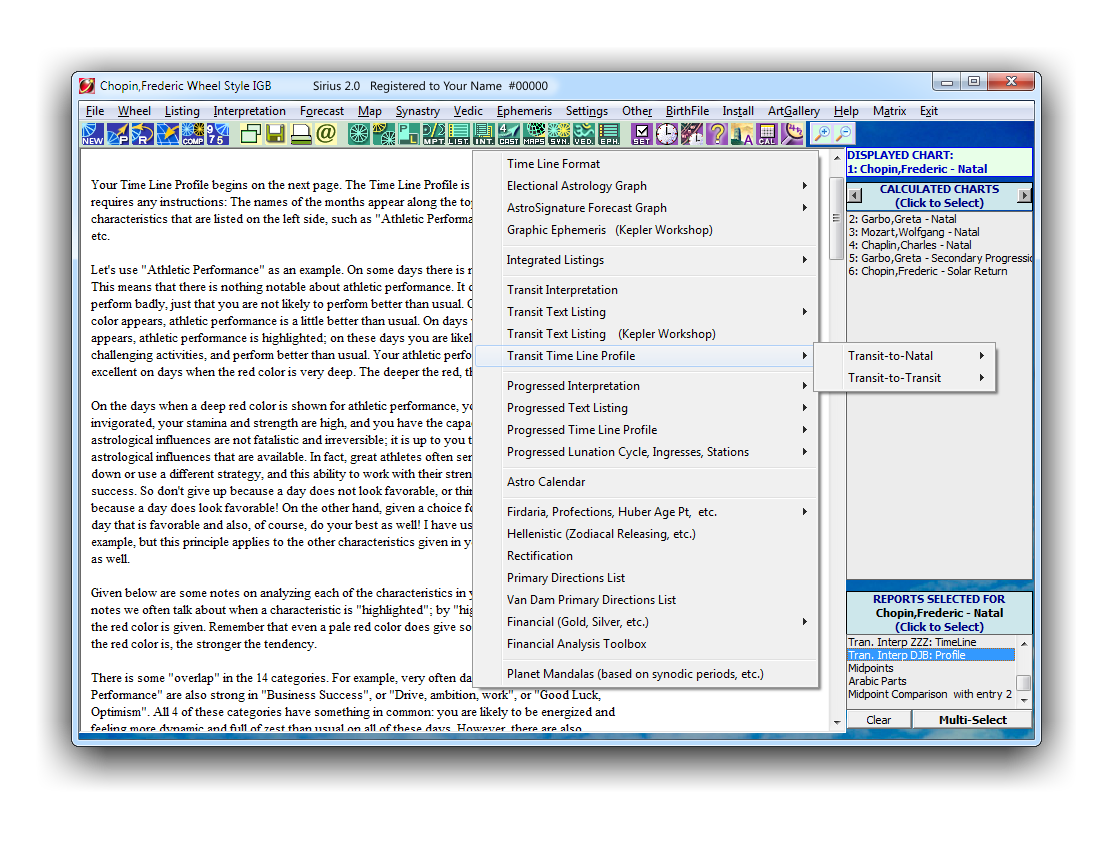
When you click on "Forecast" Icon a long list of choices are displayed: Time Line, Electional, Ephemeris, Financial, Solar, Lunar, and Planet Returns, Transit to natal, transit to Transit, Planetary Hours, Medieval Void Of Course, progresed, and much more.
For a few samples of Forecast Interpretations and Grapghs select them from the PDF Interpretations list at the top.
|
|
 |
AstroMaps & EclipseMaps
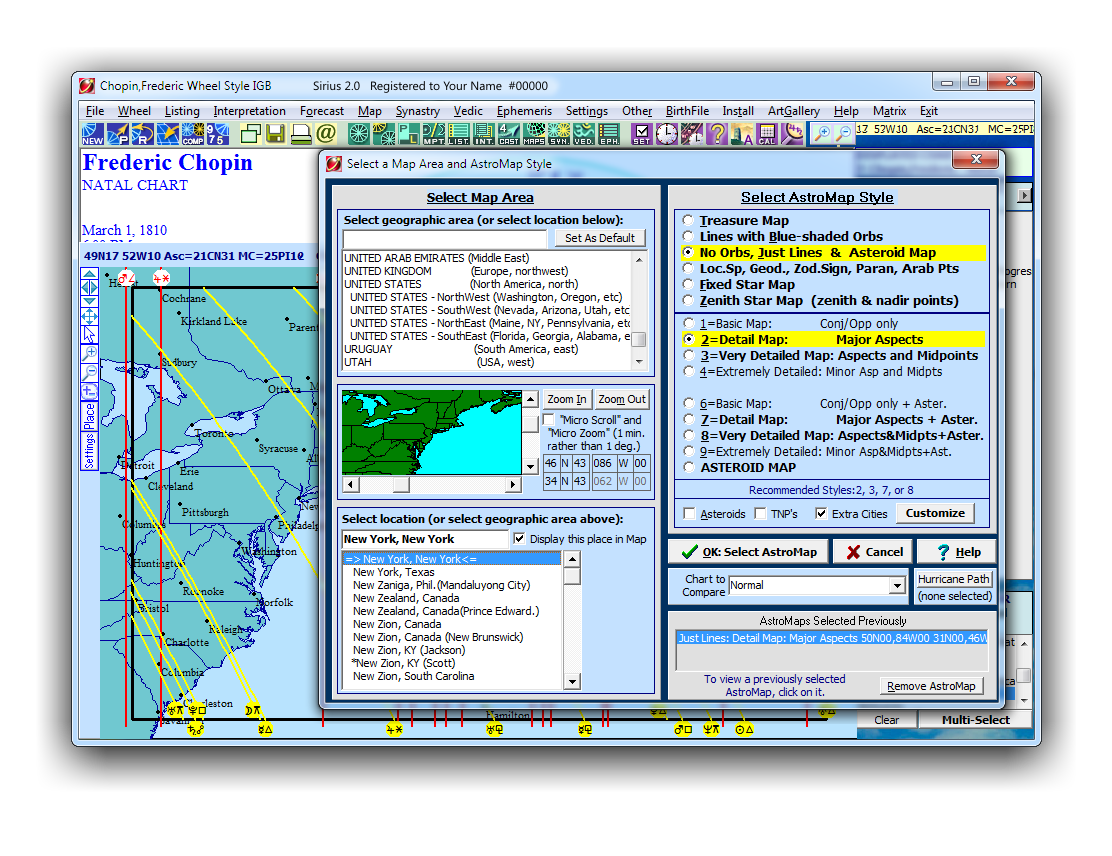
There are 6 basic style of AstroMaps; "Treasure Map", "Lines with Blue-shaded Orbs", "No Orbs, Just Lines & Asteroids", "Local Space Map, Geodetic, Zodiac Sign", "Fixed Star Map", "Zenith Star Map (zenith & nadir points)". All AstroMaps types can be move interactively.
|
|
 |
Synastry
When you click on "Synastry" icon the following options are displayed; Midpoints Comparison, Harmonic Aspect Grid Compare, Aspect Grid Compare, Compatibility Scores, Compatibility Text Listings.
|

|
 |
Vedic
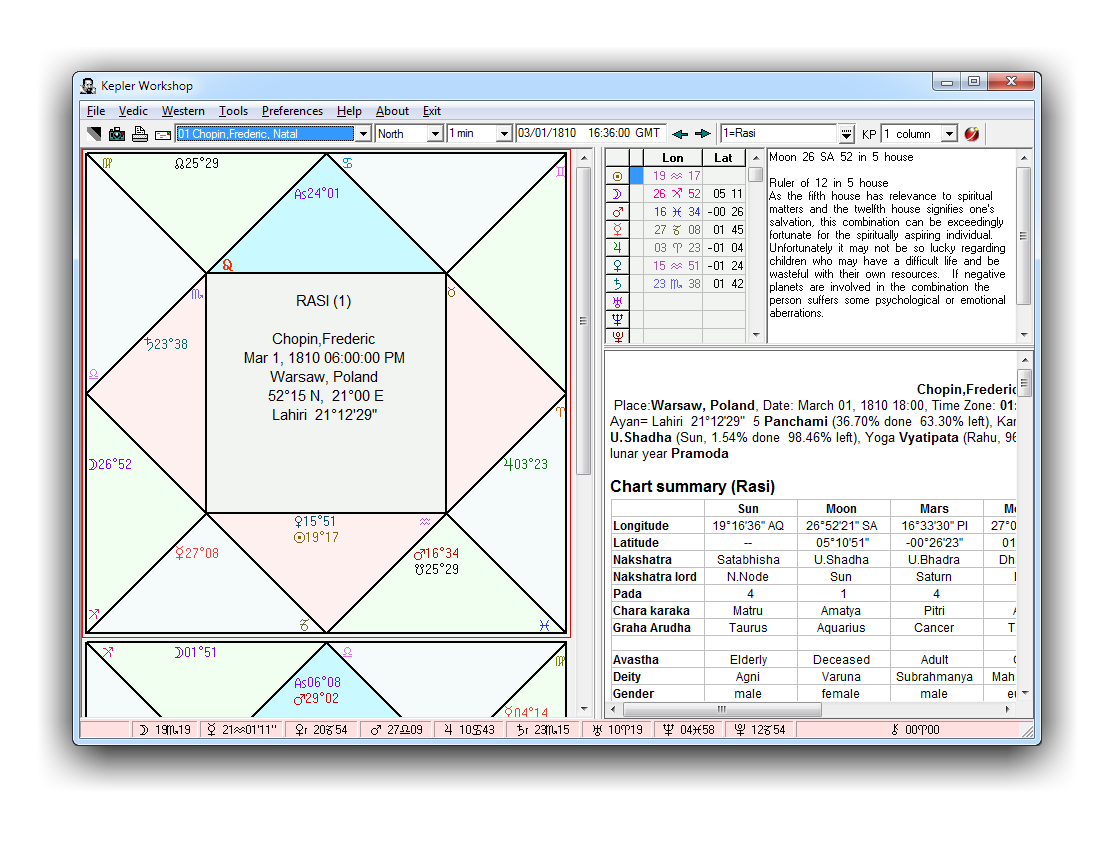
Sirius has very extensive and easy-to-use Vedic features. Shown below is a North Indian style wheel or chakra as it is sometimes called. Also shown is a nakshatra wheel.
|
|
 |
Ephemeris
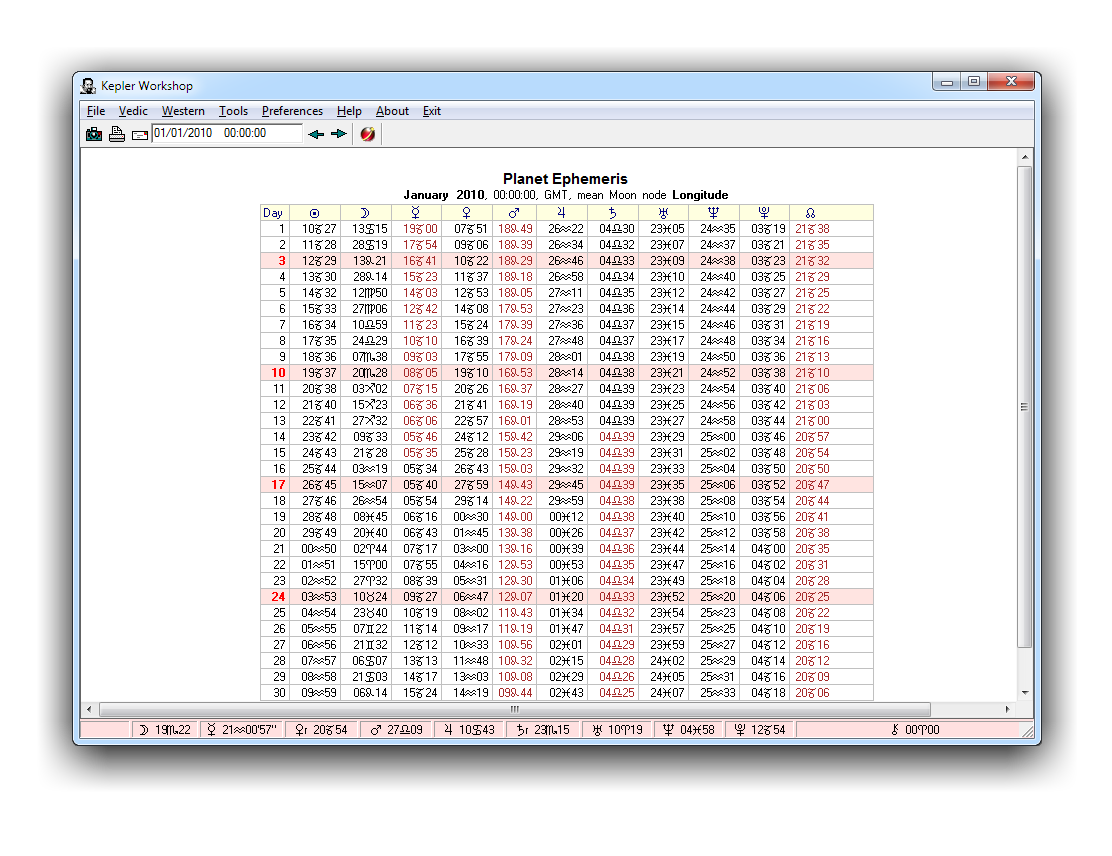
The following options are displayed under the Ephemeris icon; Planets Text Ephemeris, Asteroids Text Ephemeris, Moon Calendar, Graphic Ephemeris, Star Catalogue, Sky Map
|
|
[ TOP ]
ArtWheels

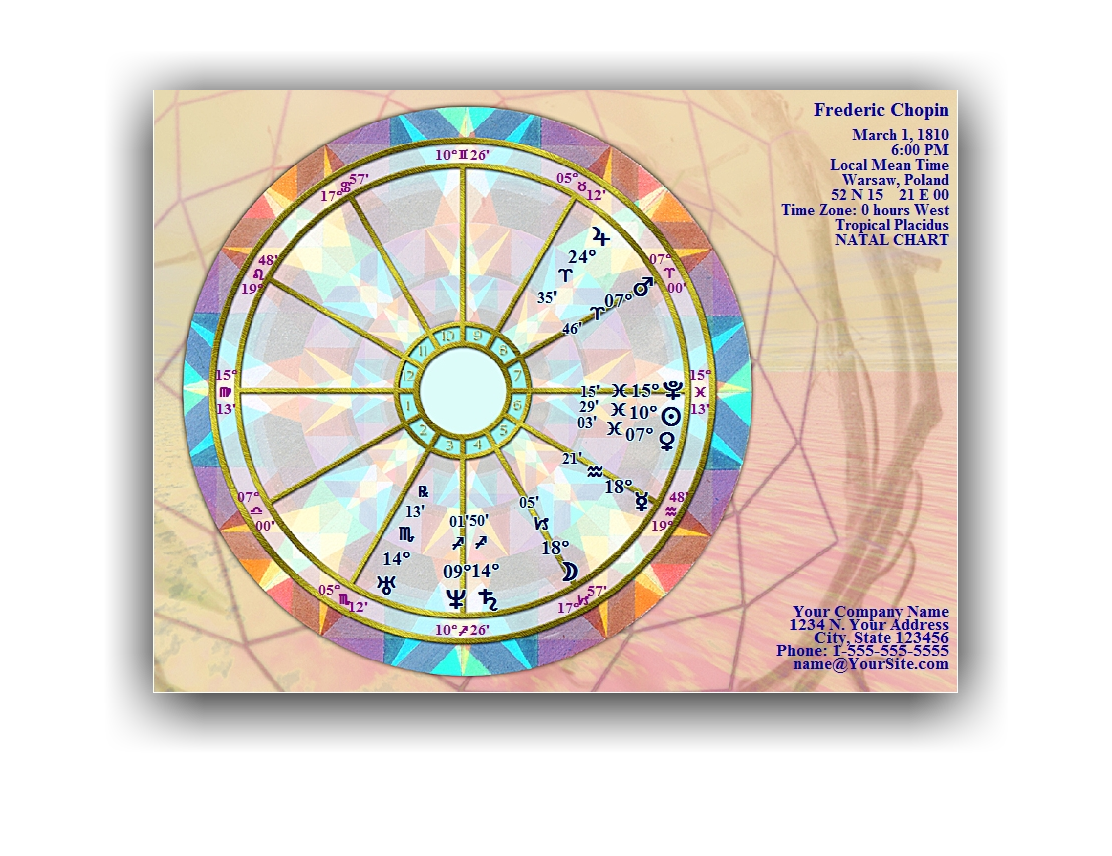
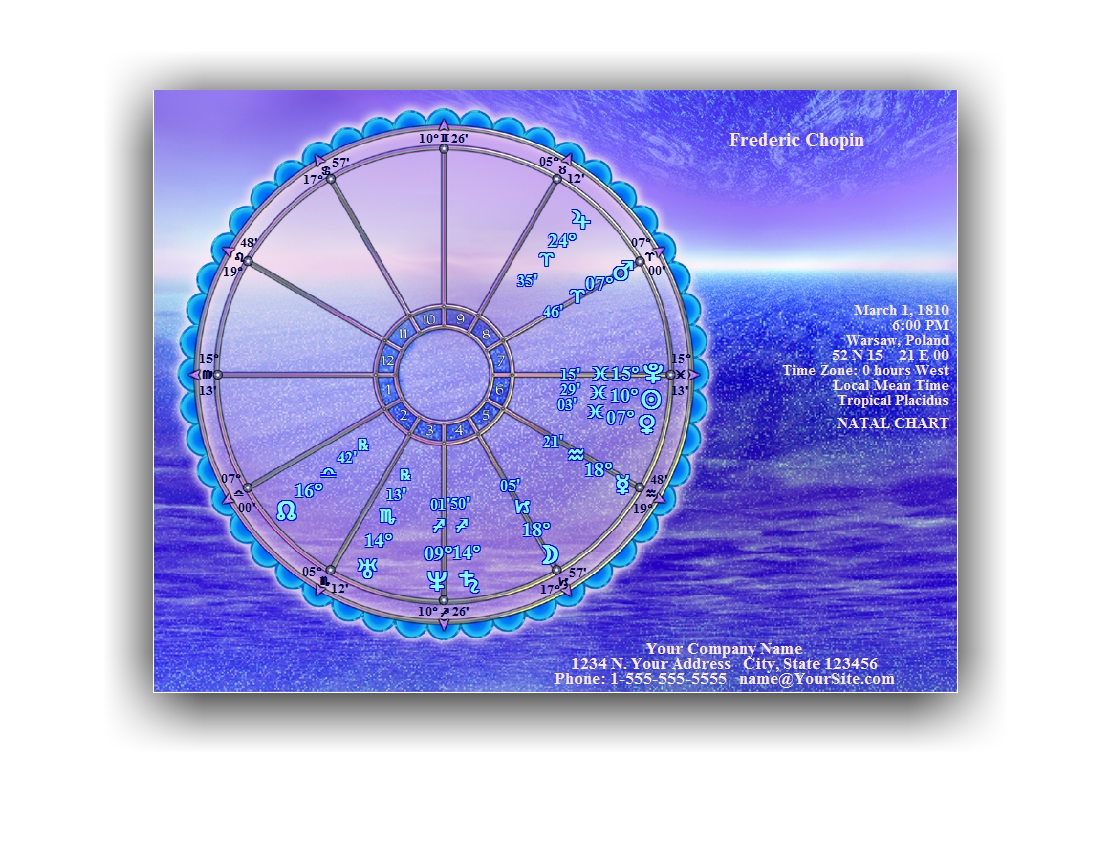
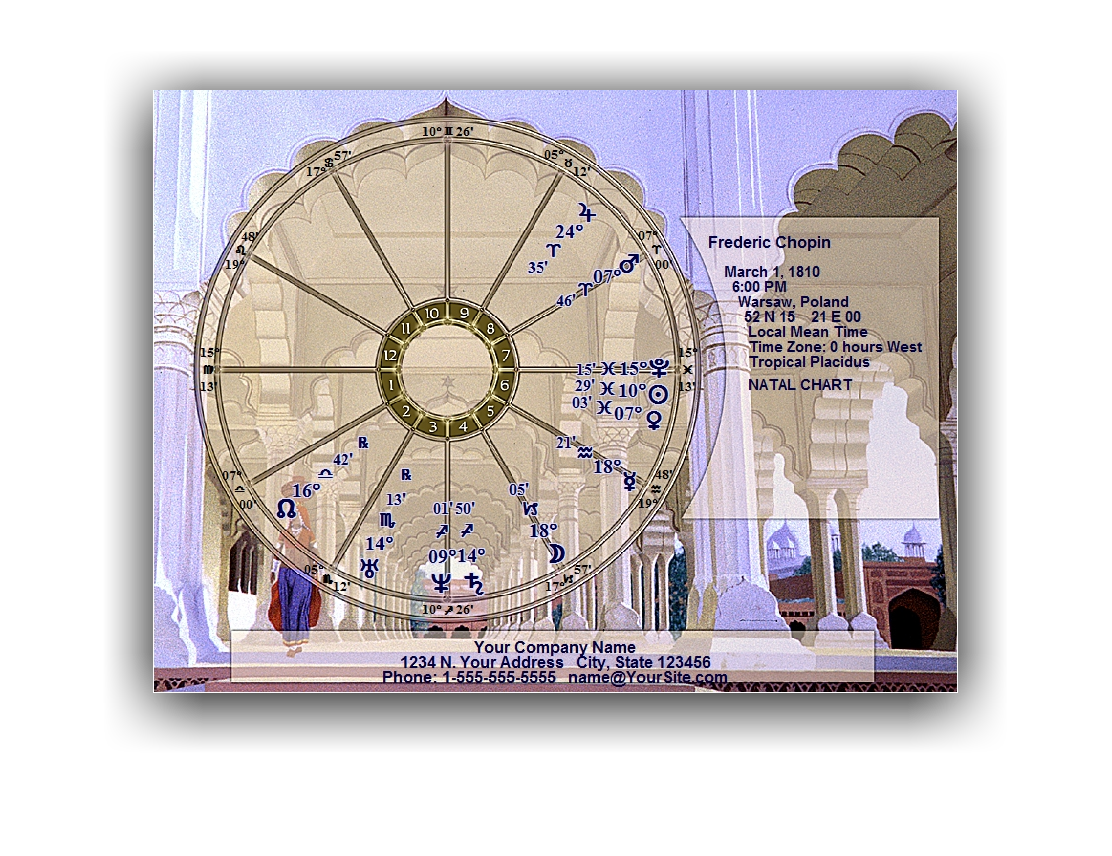
Sirius include 30 Free ArtWheels. Art wheels are beautiful chart wheels. Our art wheels were designed by graphic artist Paul Guess. The planetary positions are placed within these exquisitely beautiful chart wheel images. They are perfect for framing. These chart wheels are best printed on a color printer. For an incredibly stunning chart wheel, print an art wheel on glossy paper with your color printer. There are 30 art wheels to choose from, and there is a portrait (normal) and landscape (sideways) version of each art wheel. In order to make the art wheels as beautiful as possible, we added the ability to add shadowing to the planetary information in the chart wheel. This adds extra pizzazz to the art wheel.
Here are just 3 samples of the ArtWheels, click on the thumbnail below to see a bigger sample. You can export them in .PNG, . JPG, .BMP, .TIFF, and .PCX formats in resolutions from 30x40 pixels to 1535x2047 pixels in RGB colors, Black and White, and Gray-Scale. Also you can generate .PDF files with screen resolution (low ress).
The samples below are sized for the screen, the program can create images up to 1535x2047 pixels.
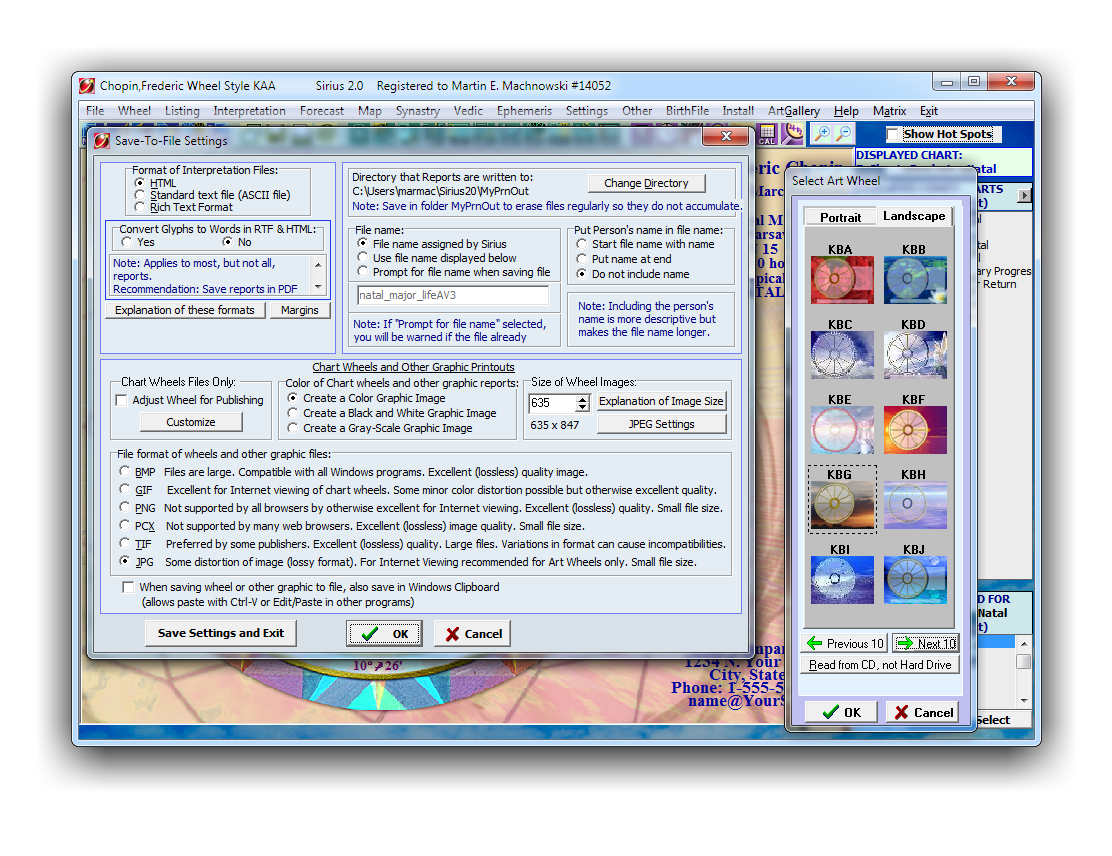
ArtWheel Settings
There are 30 ArtWheels to choose from, and there is a portrait (normal) and landscape (sideways) version of each ArtWheel.
KAA Sample
 KAC Sample
 KAF Sample
If you want more ArtWheels, you can purchase the ArtWheel Pastel Collection. Click Here.
This add on will give you 138 more ArtWheels to choose from.